There are two methods of creating a tracker.
First method:
Navigate to the Tickets view panel.
Click on the ticket you would like to link to a Tracker.
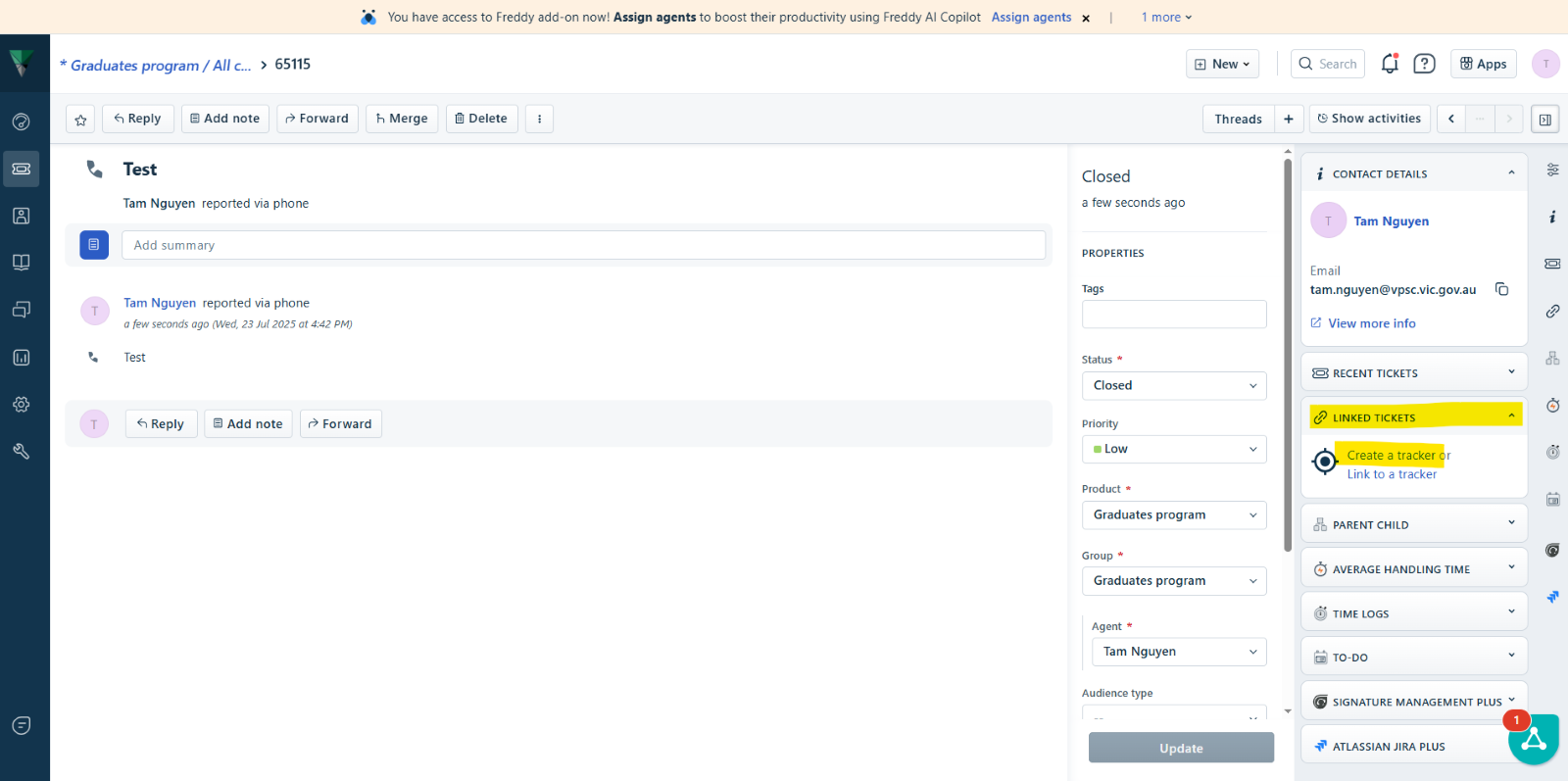
Select the Linked Tickets icon from the right panel on the Ticket Details page.
Click on Create a Tracker.
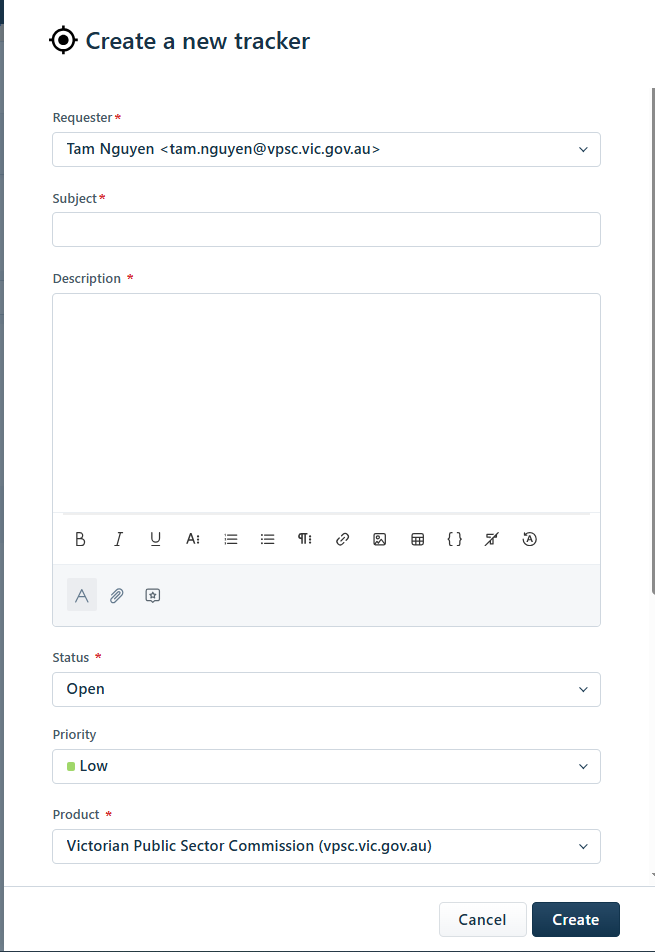
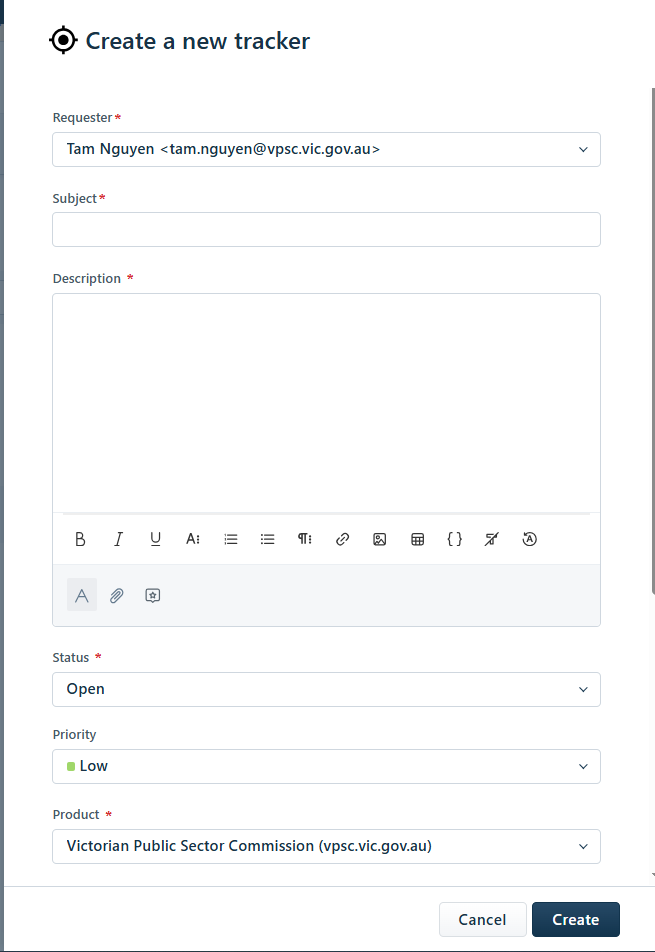
A new tracker form will appear.
Enter the details for the Tracker and click on Create.
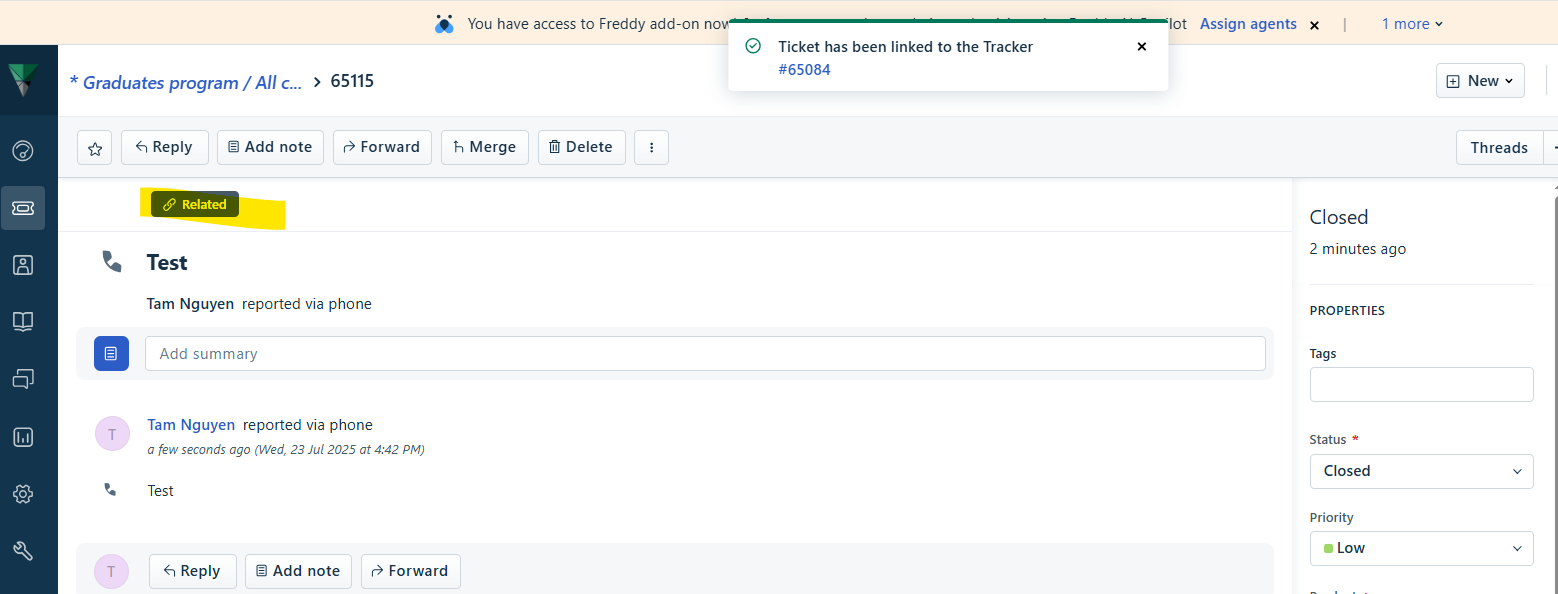
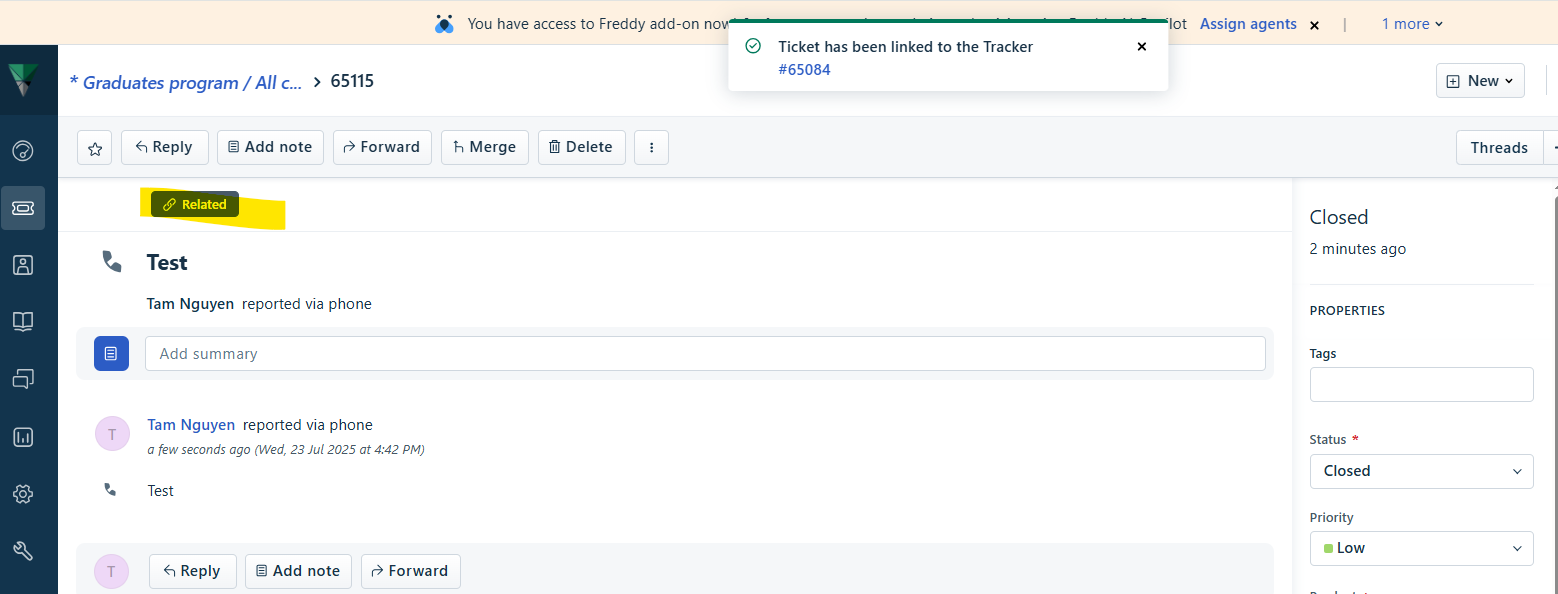
The ticket will be linked to the Tracker; it will have the ‘Related’ tag when you view it in the Tickets tab.
Second method:
Within the Tickets view panel, select the ticket/s you wish to link to a tracker by ticking the checkbox of the tickets.
A pop up menu will appear ta the top. Click on Link.
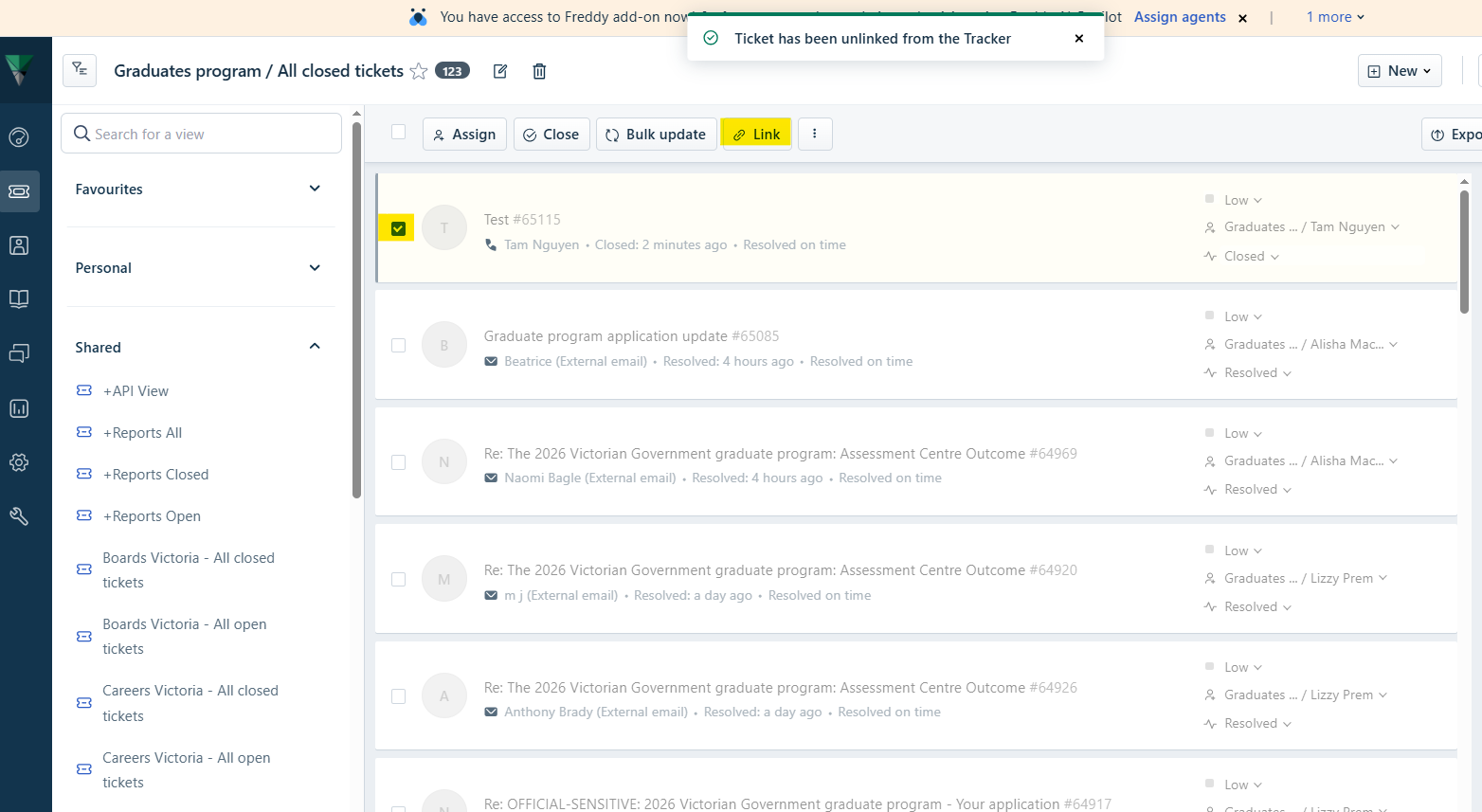
A prompt will appear asking to choose a Tracker or create a new tracker. Select Create new tracker.
Enter the details for the Tracker and click on Create.
The ticket will be linked to the Tracker; it will have the ‘Related’ tag when you view it in the Tickets tab.
Was this article helpful?
That’s Great!
Thank you for your feedback
Sorry! We couldn't be helpful
Thank you for your feedback
Feedback sent
We appreciate your effort and will try to fix the article