To edit a ticket without sending a reponse to the requester:
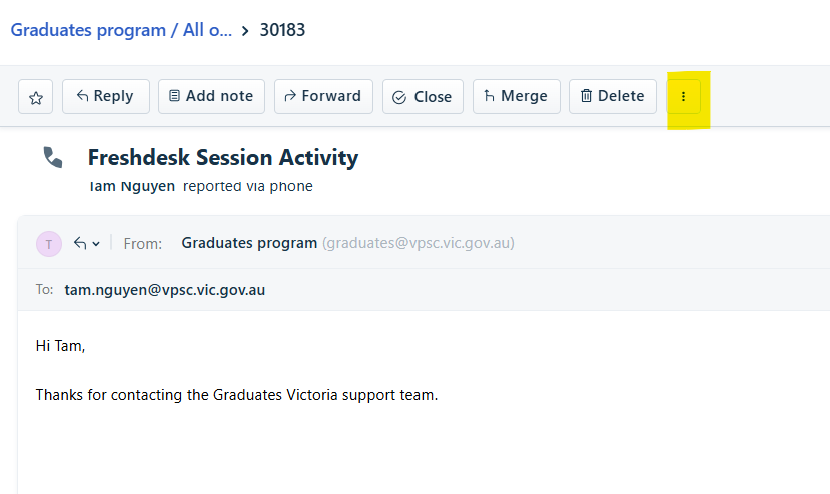
- Navigate to the toolbar at the top of the ticket and click on the 'MORE' icon.
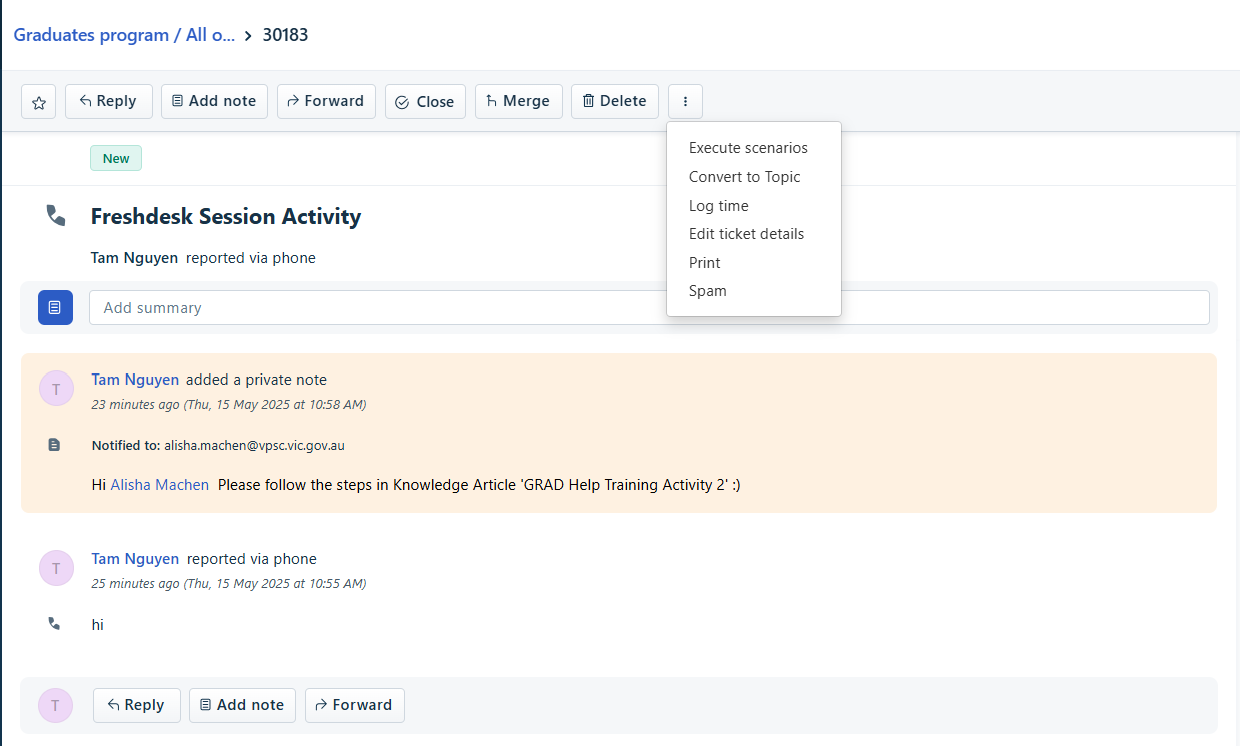
- A drop down list will appear.
- Select 'Edit ticket details'.
- A pop up window will appear.
- The following can be edited:
- Contact
- Subject
- Description of the ticket.
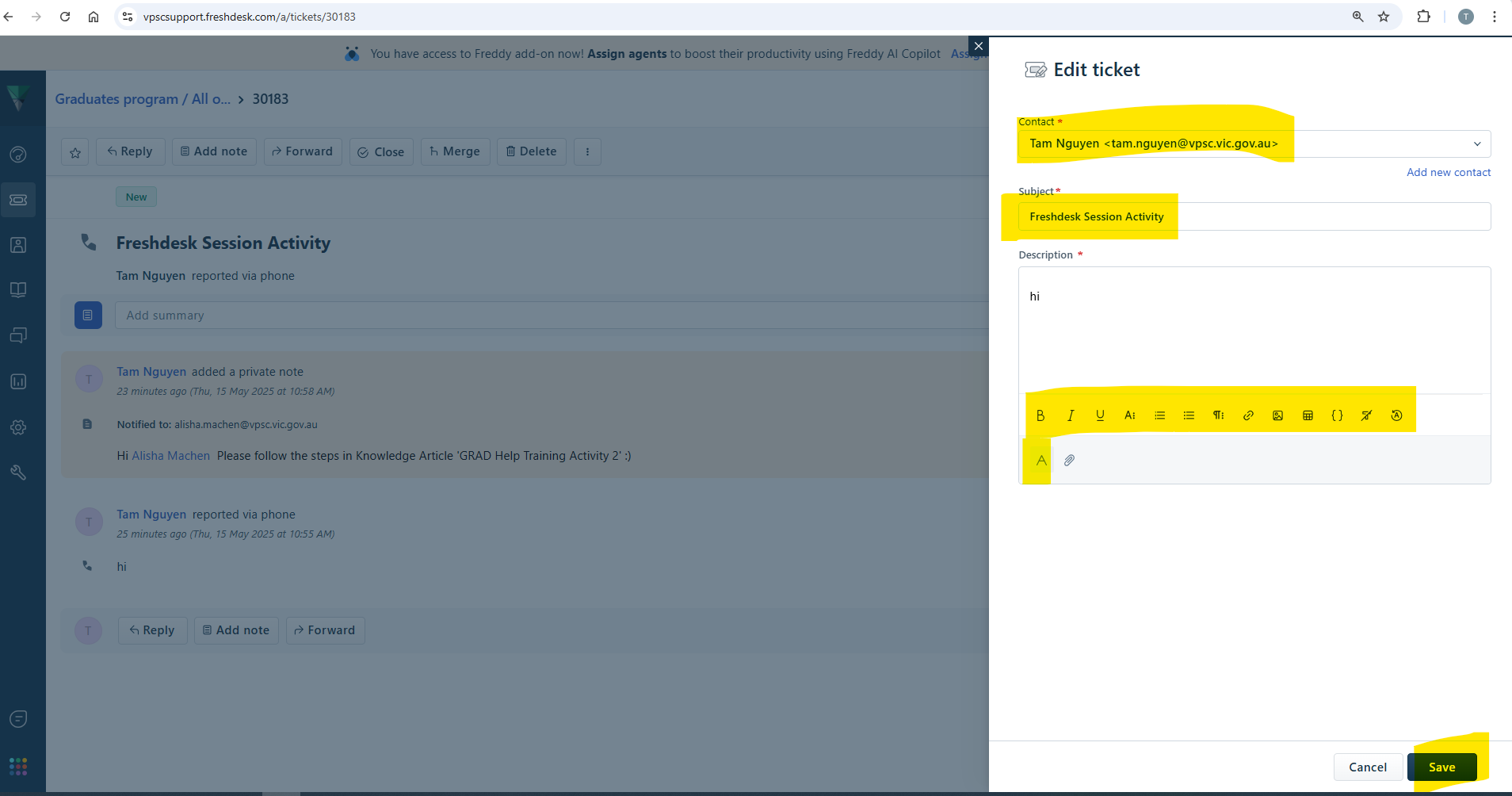
- Once the edits have been completed.
- Click on SAVE.
Was this article helpful?
That’s Great!
Thank you for your feedback
Sorry! We couldn't be helpful
Thank you for your feedback
Feedback sent
We appreciate your effort and will try to fix the article