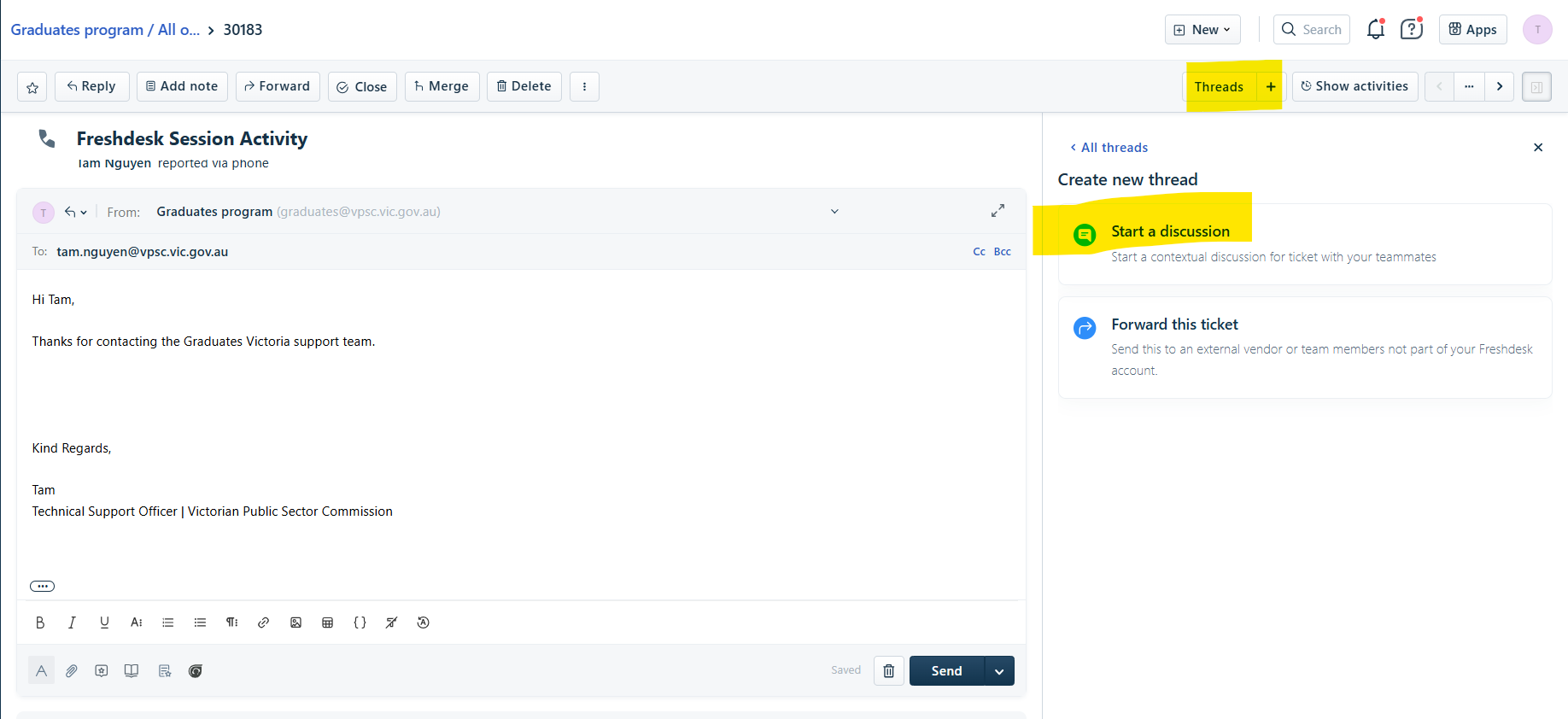
- Within a ticket reply, navigate to the top right hand corner and click on Threads.
- Click on 'Start a discussion'.
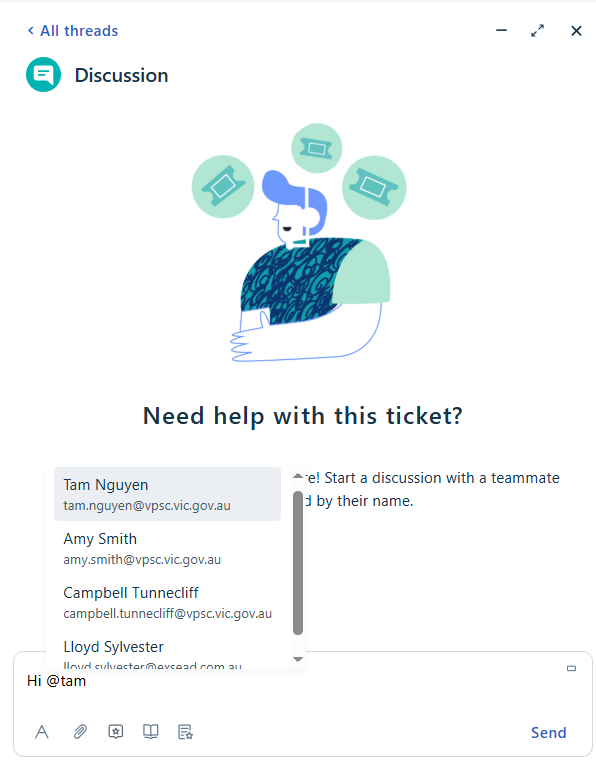
- Start typing the message.
- To Tag, simply add '@' followed by the agent's name. Suggestions will appear. Click on the correct name to be added as tagged.
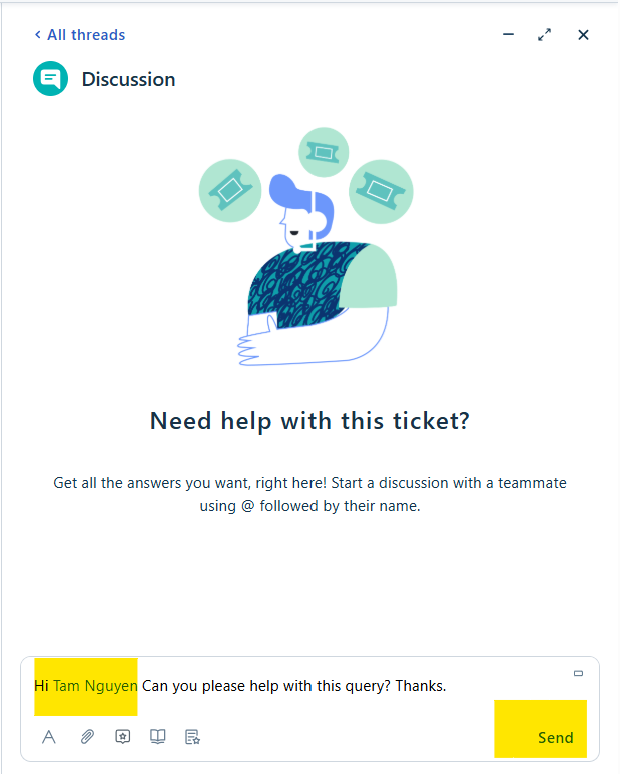
- Once message is complete, click on Send.
Was this article helpful?
That’s Great!
Thank you for your feedback
Sorry! We couldn't be helpful
Thank you for your feedback
Feedback sent
We appreciate your effort and will try to fix the article