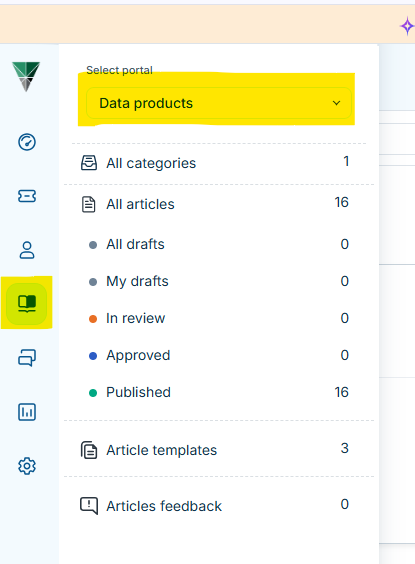
Click on the Knowledge Solutions icon from main menu on the left hand side.
Select the correct portal from the drop down list.
Click on either the folder to navigate to the right space to add a new article or choose the right option from the drop down list via the menu on the top right hand corner.
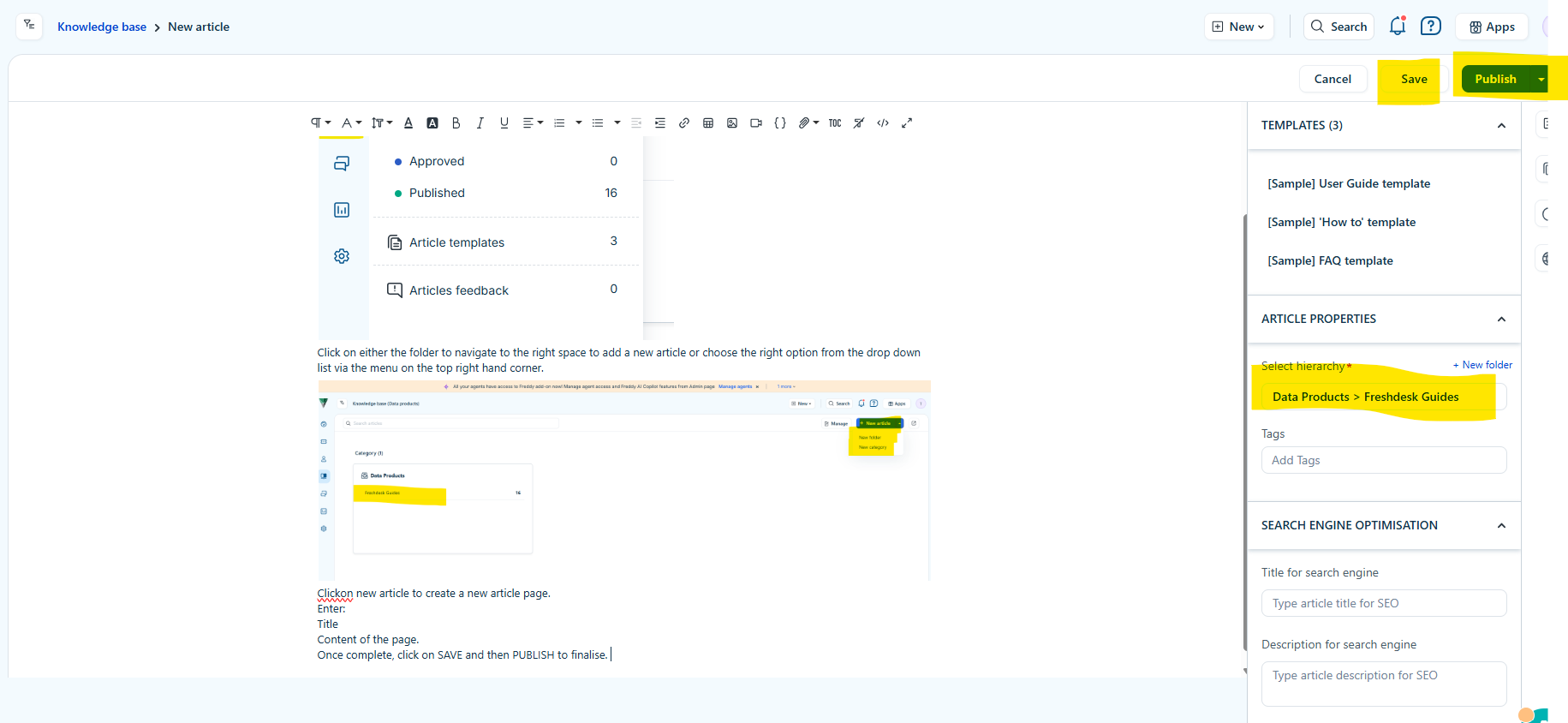
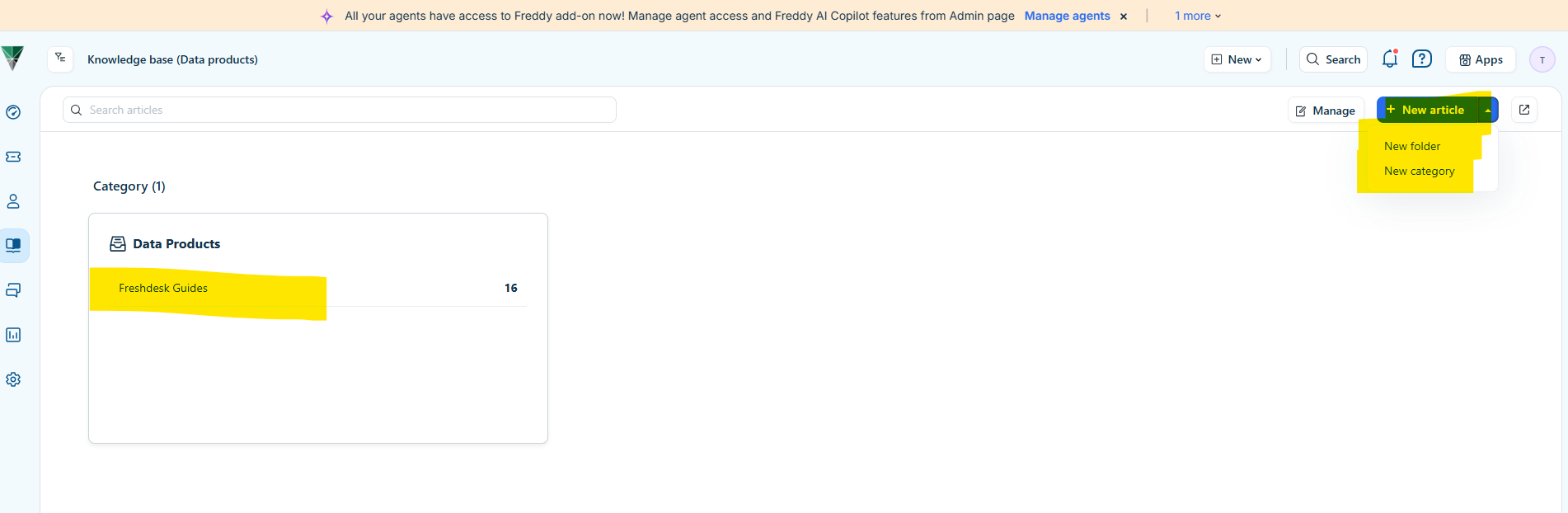 Clickon new article to create a new article page.
Enter:
Title
Content of the page.
Once complete, click on SAVE and then PUBLISH to finalise.
Was this article helpful?
That’s Great!
Thank you for your feedback
Sorry! We couldn't be helpful
Thank you for your feedback
Feedback sent
We appreciate your effort and will try to fix the article