- In the ticket screen, navigate to the top right hand corner and click on New.
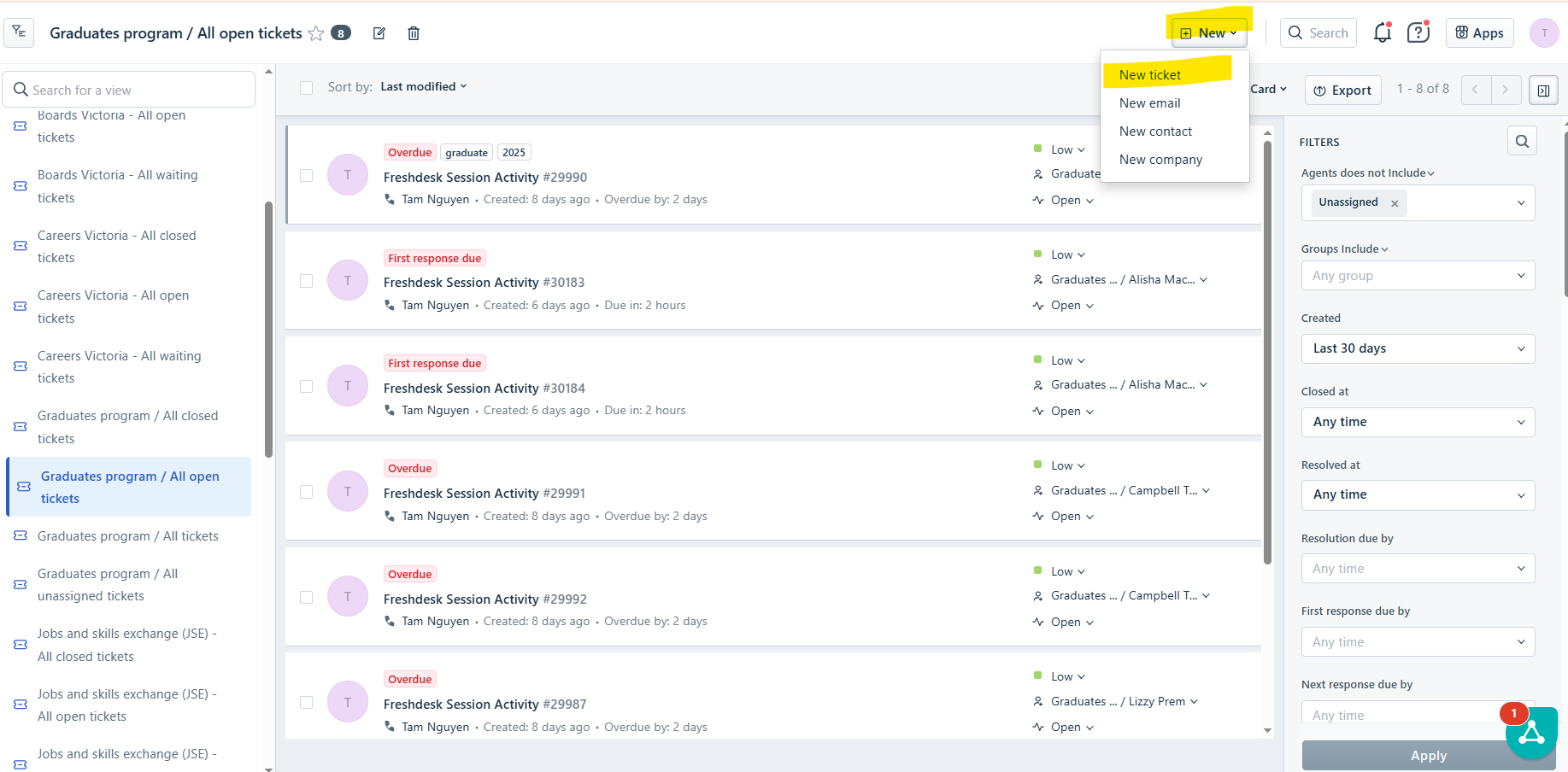
- Select New Ticket
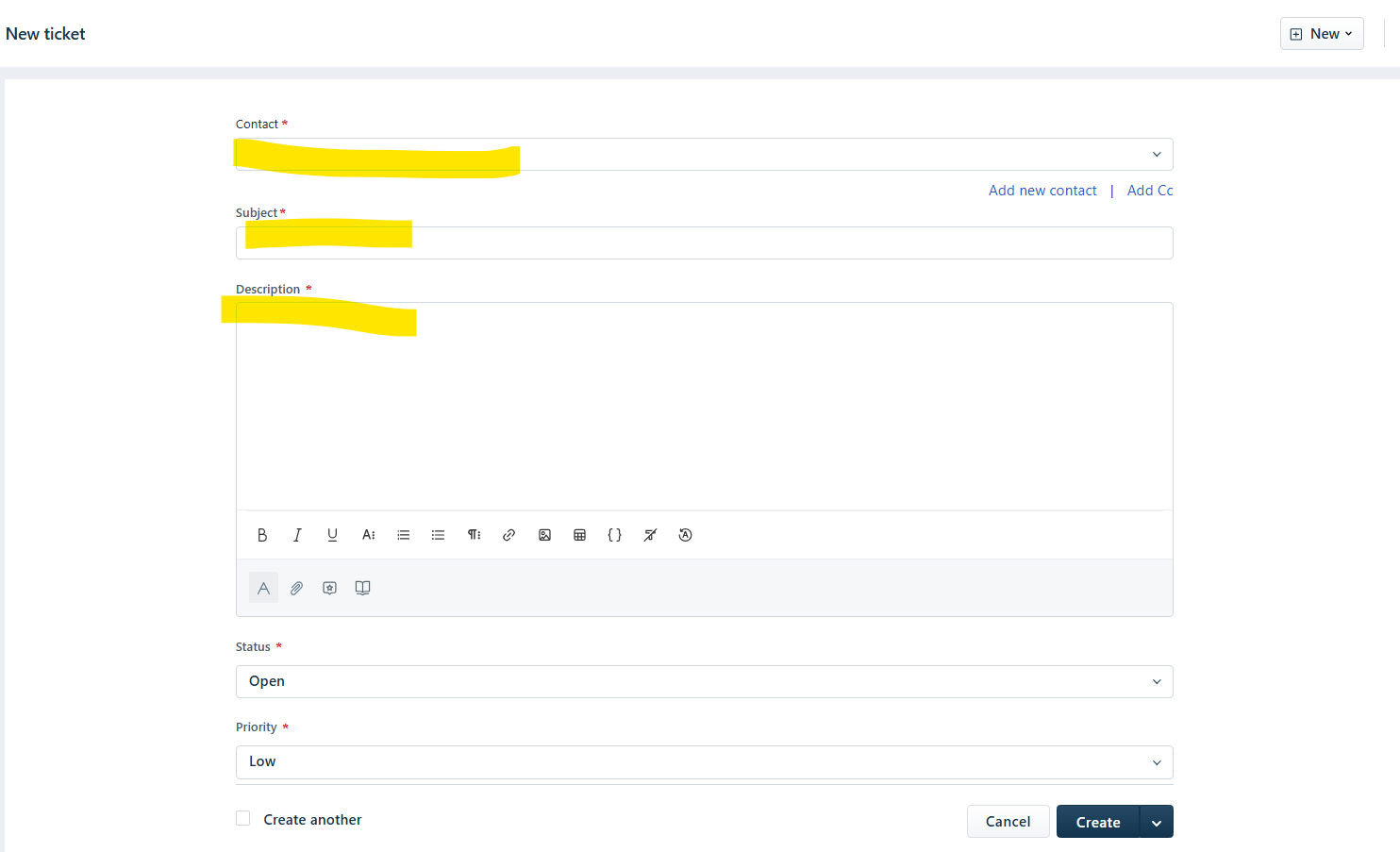
- Fill out the mandatory fields (with the red asterix).
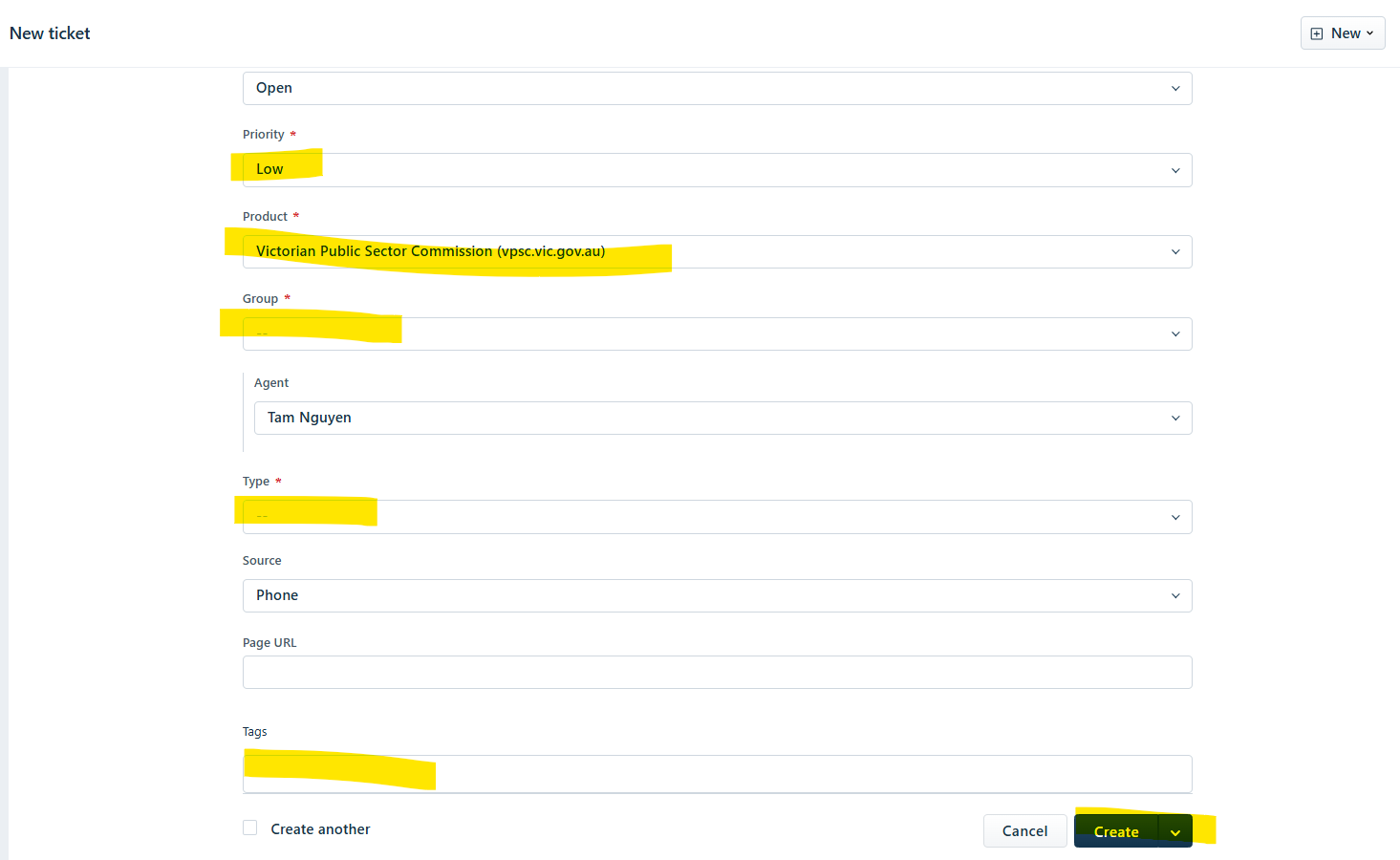
| Field | Value | Description |
| Contact | Add e-mail address of the requester | Name of the requester |
| Subject | Subject of the ticket | |
| Description | What the ticket is for | |
| Status | OPEN | |
| Priority | The urgency/importance of the ticket | |
| Product | Data Products | |
| Group | ||
| Agent | Person raising the ticket | |
| Type | What is the nature of the ticket inquiry | |
| Source | ||
| Tags |
- Once all are filled, click on CREATE.
Was this article helpful?
That’s Great!
Thank you for your feedback
Sorry! We couldn't be helpful
Thank you for your feedback
Feedback sent
We appreciate your effort and will try to fix the article