The Knowledge Base can be accessed via the main menu on the left hand side or via ticket message reply by accessing the editor toolbox at the bottom of the message.
VIA MAIN MENU
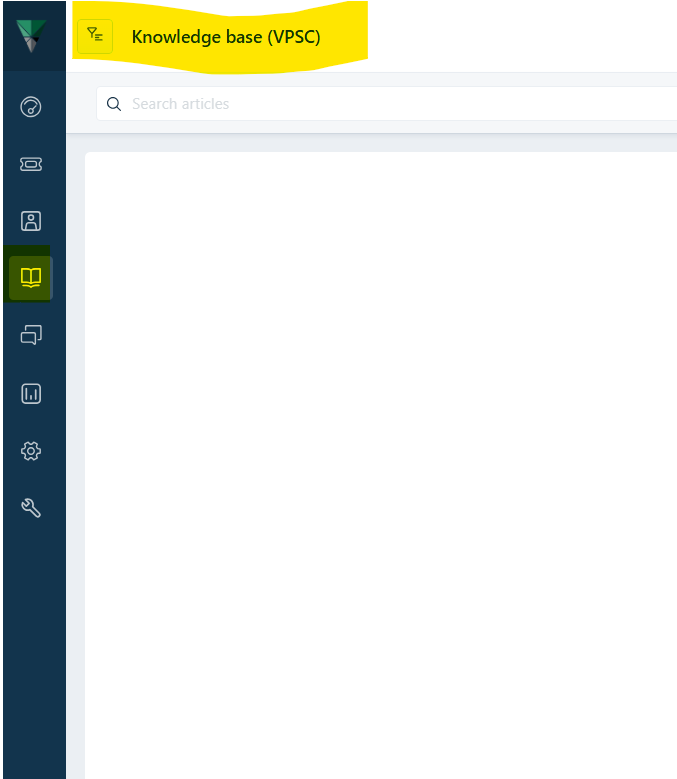
- Click on the 'Solutions' function (Book icon).
- The screen will appear titled 'Knowledge Base'.
- Click on the Funnel (filter icon) at the top.
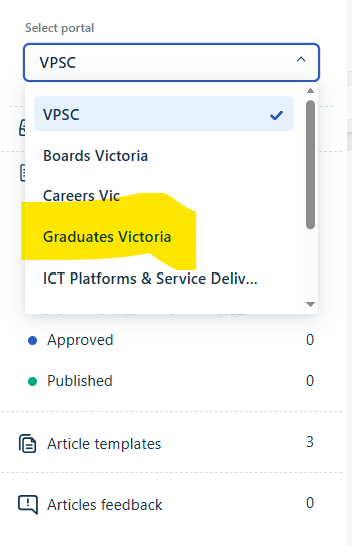
- A drop down list will appear.
- Select from the choices.
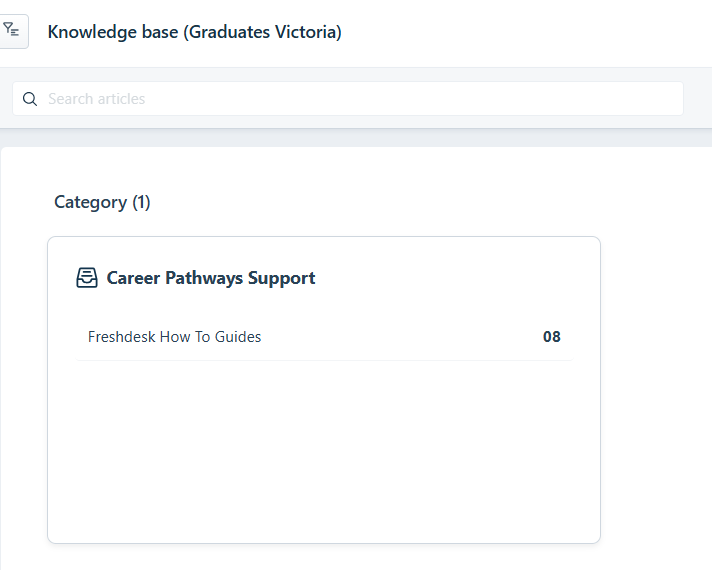
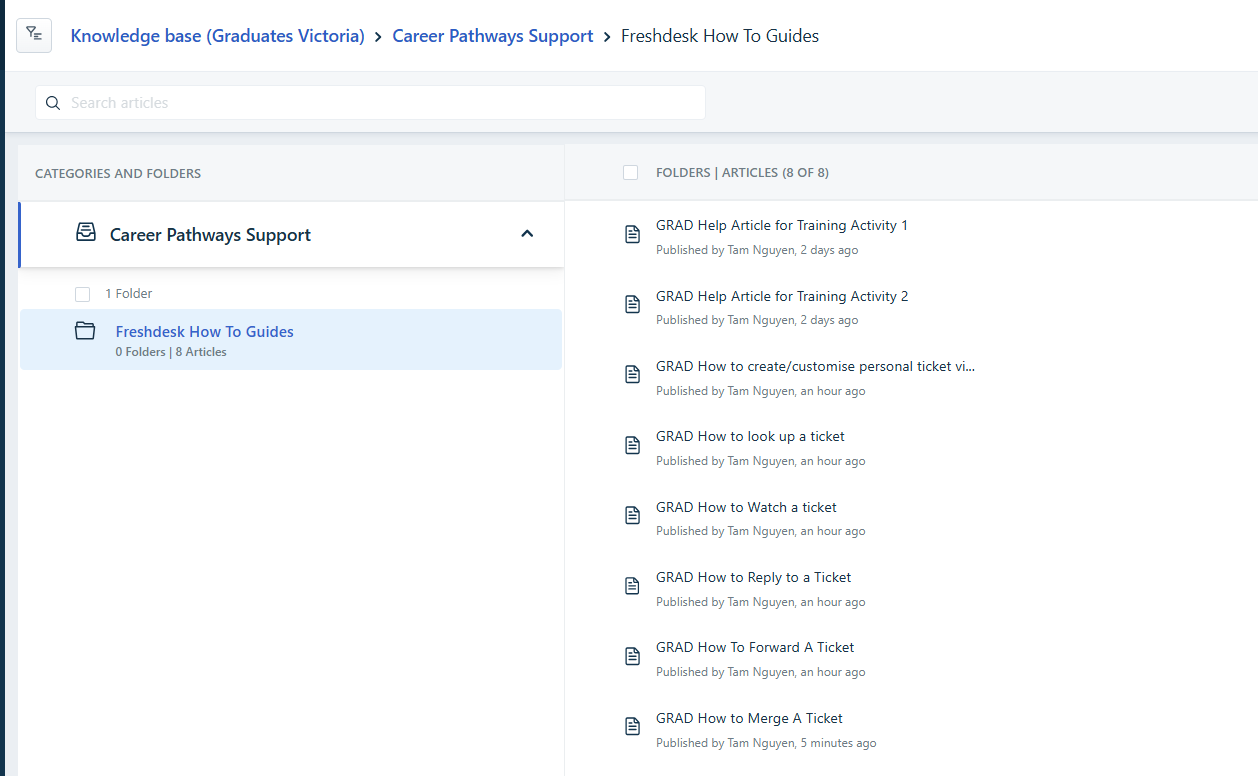
- Available folder hierarchy will appear.
- Navigate through folders to find the Knowledge Article you seek.
VIA A TICKET MESSAGE
- Click on the book/solution icon within the editor toolbar at the bottom of the message.

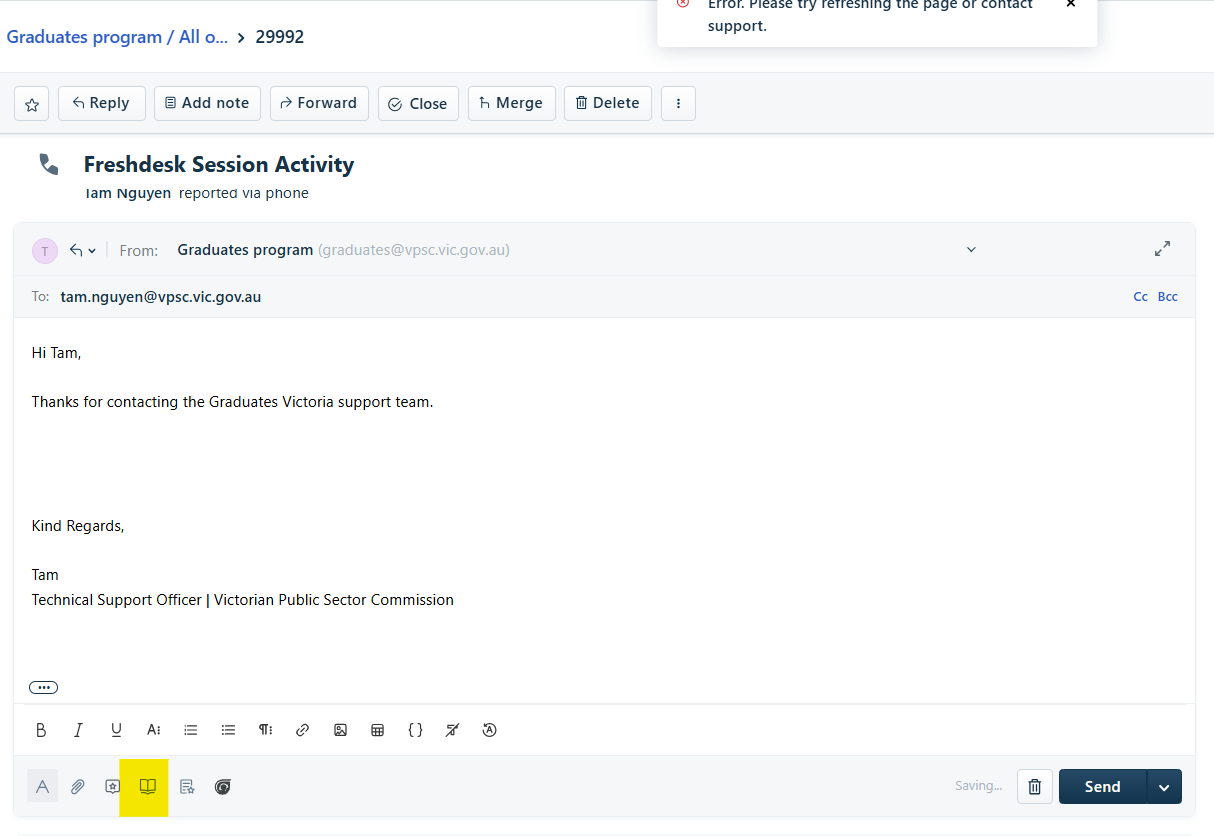
- A pop up window will appear on the right hand side.
- Start typing in the title of the knowledge article within the search input prompt field.
- A list of suggested articles will appear.
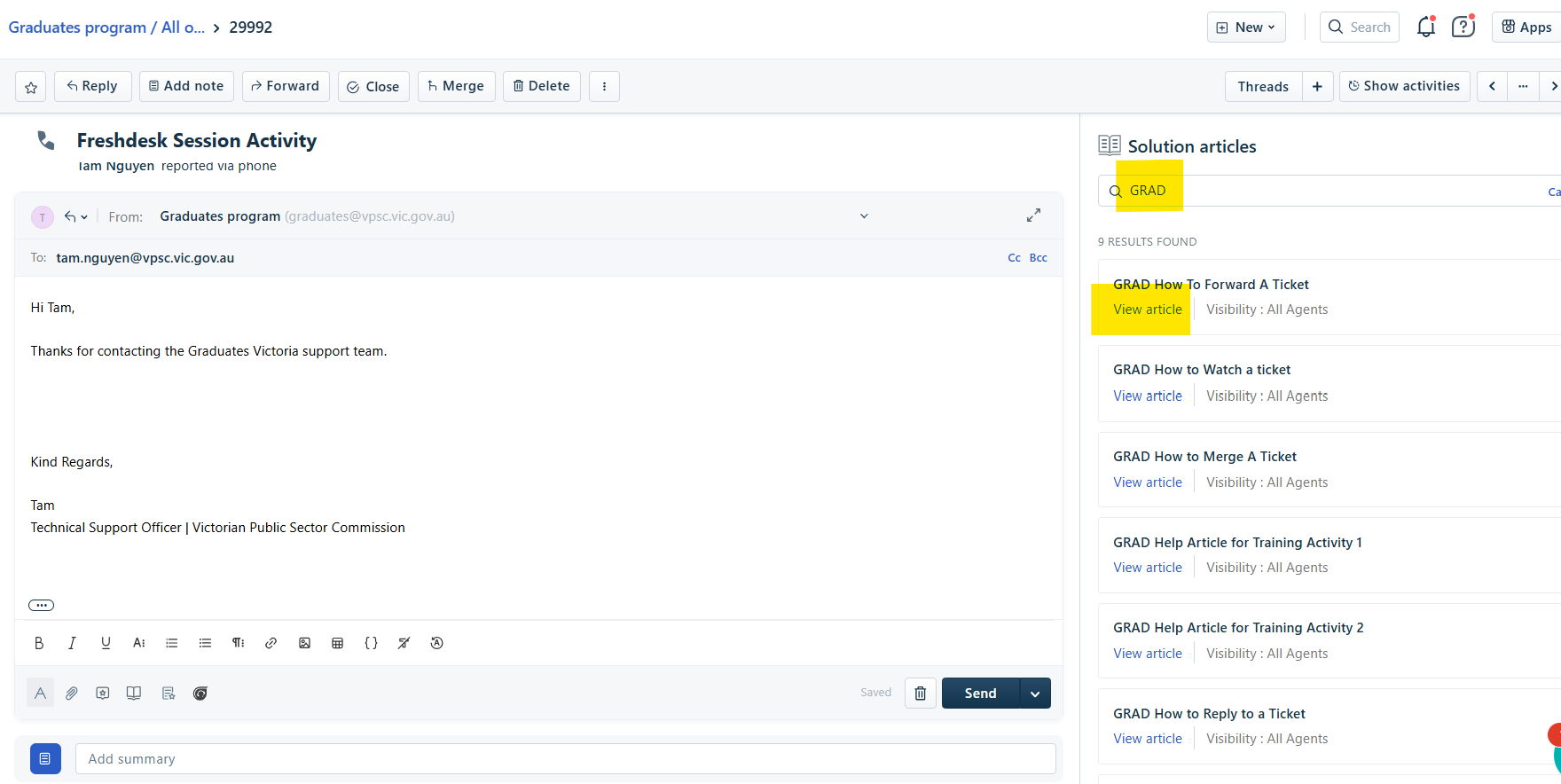
- To view an article, click 'View Article'.
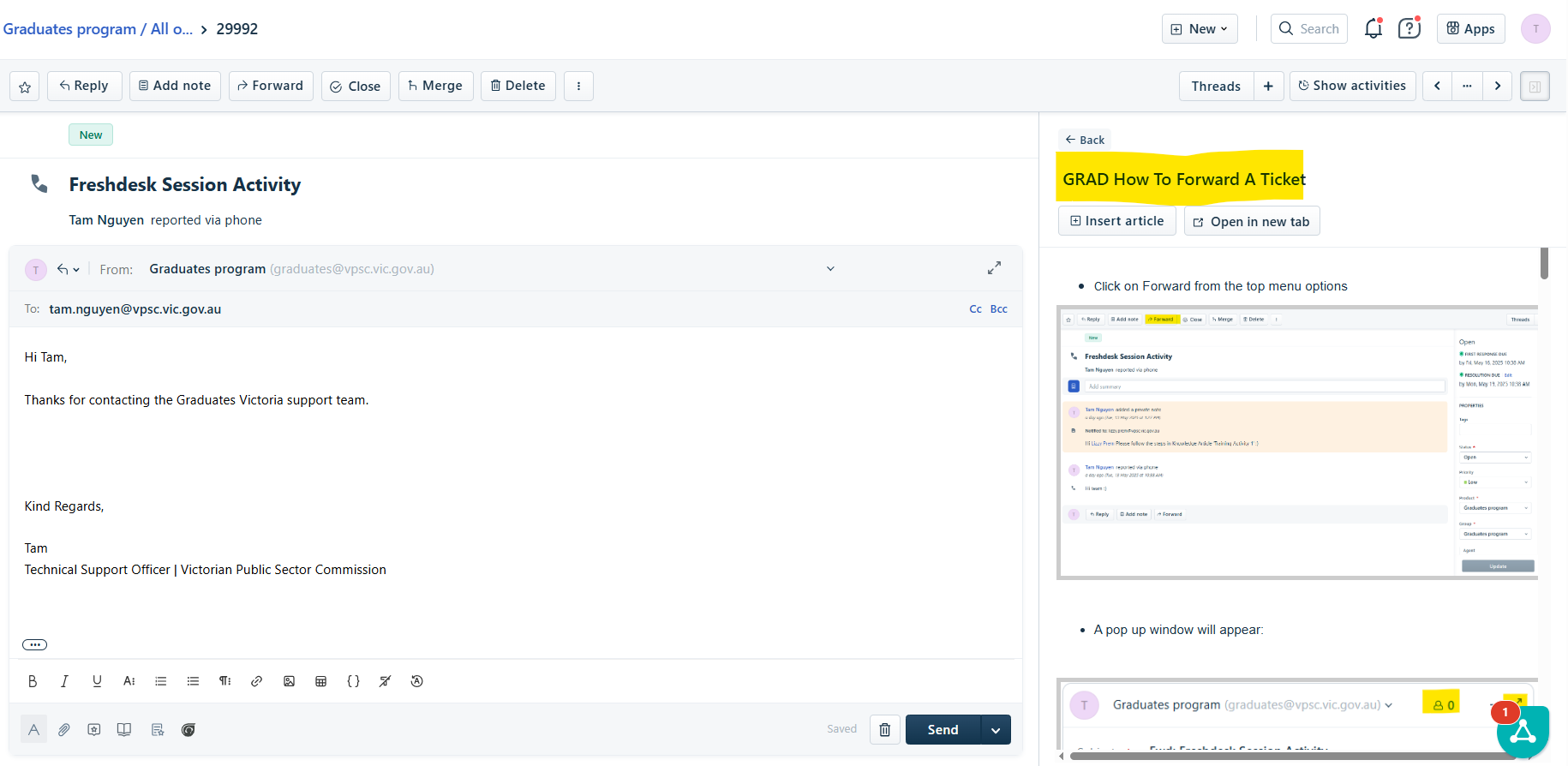
- The article will then appear in the panel.
Was this article helpful?
That’s Great!
Thank you for your feedback
Sorry! We couldn't be helpful
Thank you for your feedback
Feedback sent
We appreciate your effort and will try to fix the article