Edit a Canned response
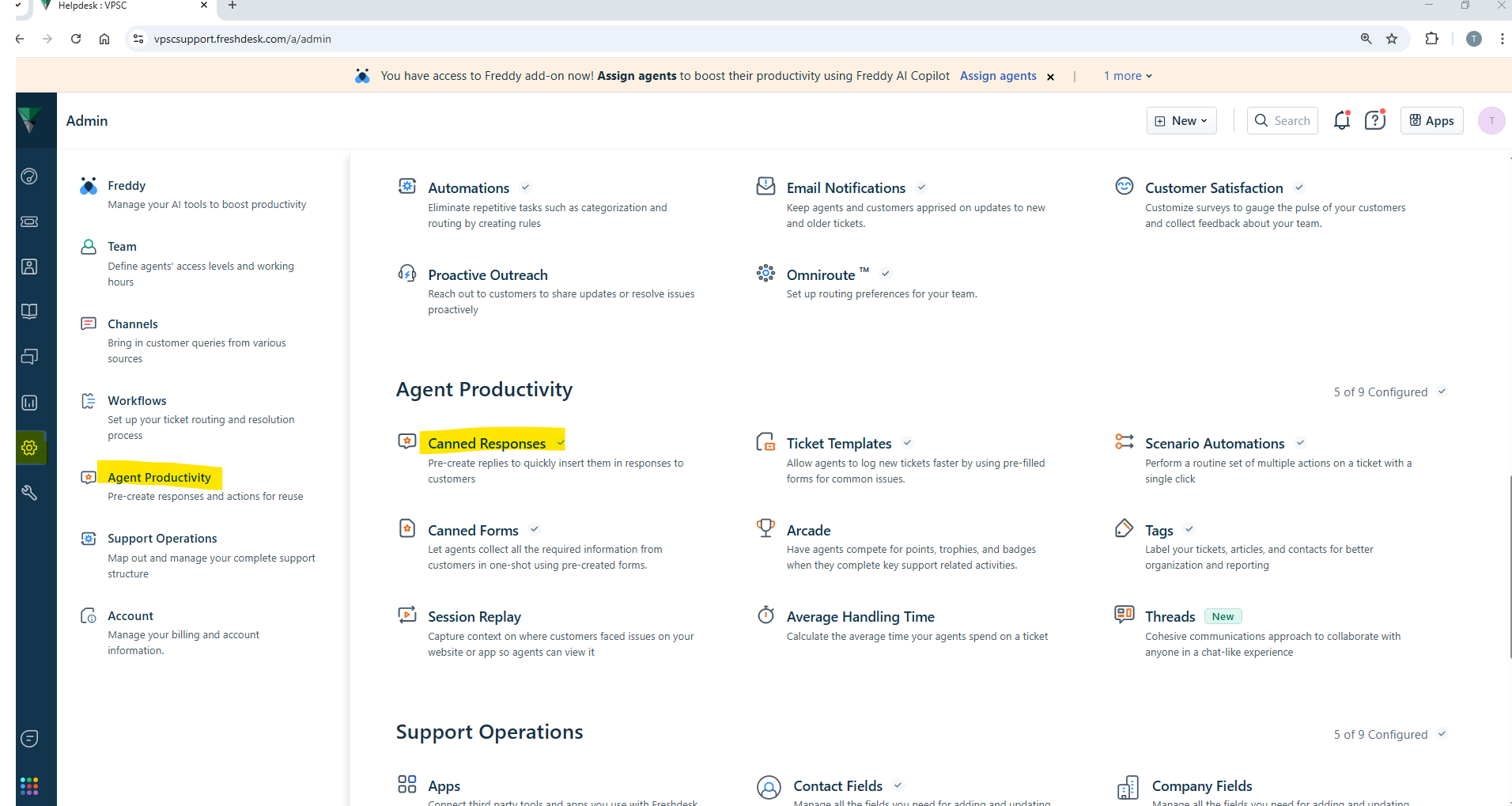
- Click on Canned Responses.
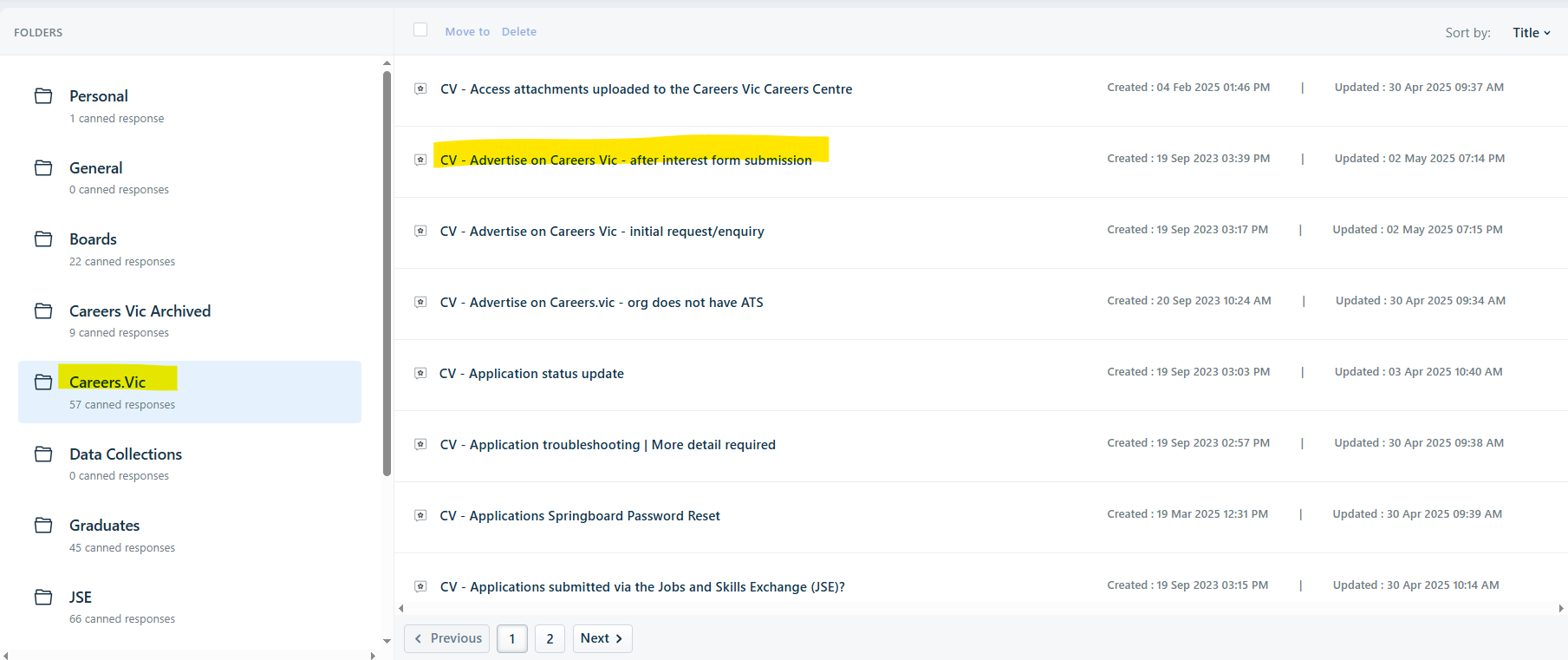
- Click on the correct folder under 'Folder' list on the left hand side panel.
- All canned responses in the folder will then be displayed on the right.
- Locate the canned response you would like to Edit.
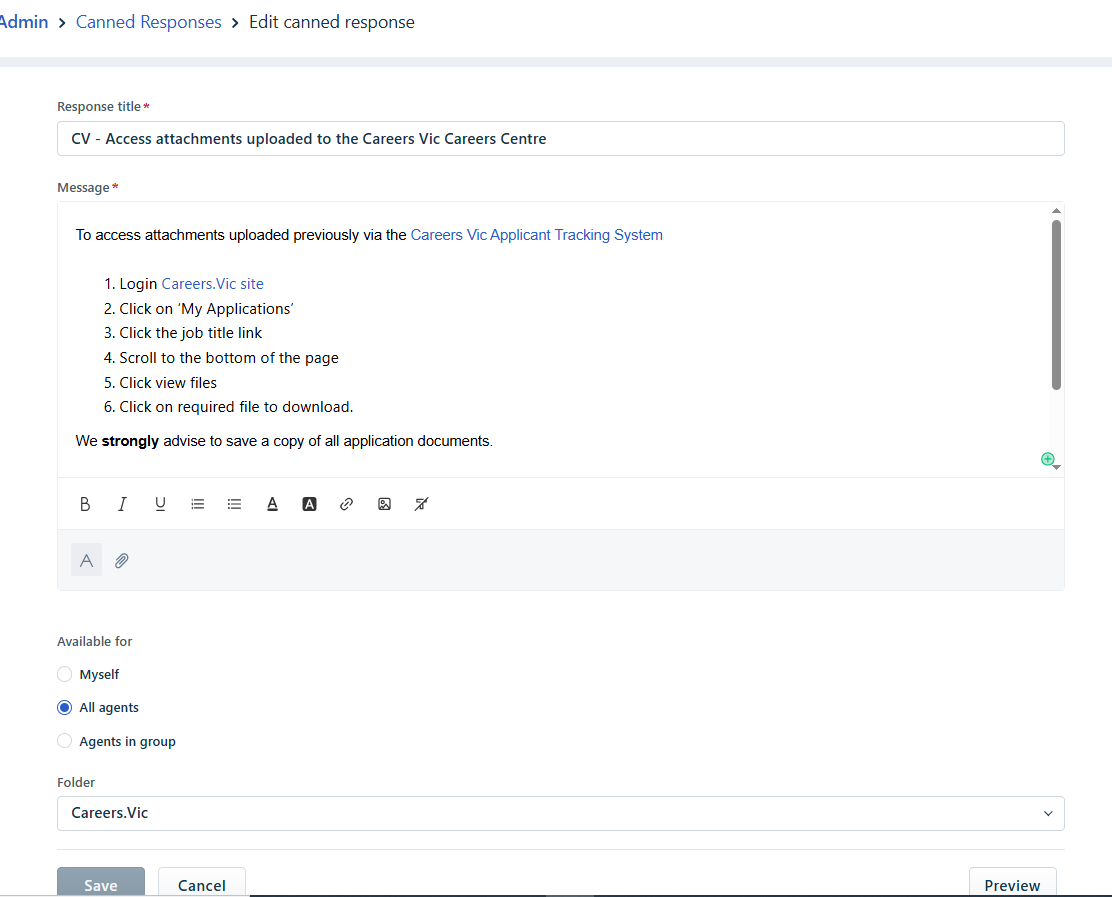
- Edit the canned response.
- Click on Save once completed.
Edit a Knowledge article
- Click on the 'Solutions' icon from the left hand main menu bar.
- Click on the Funnel filter icon next to 'Knowledge Base'.
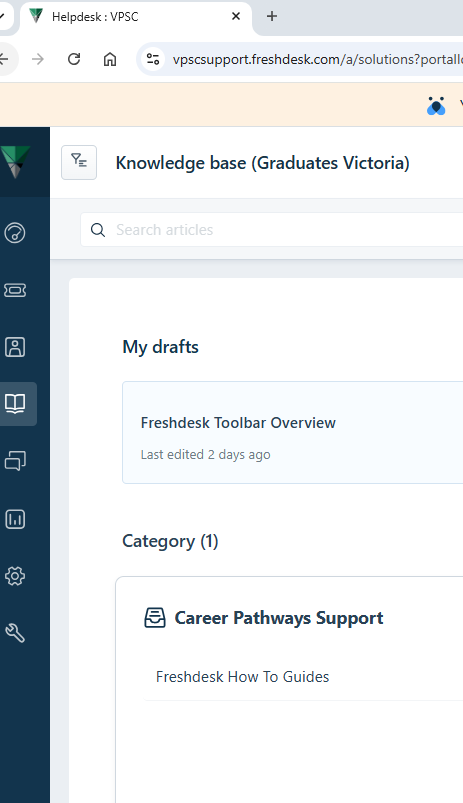
- A drop down list will appear.
- Choose the correct Portal.
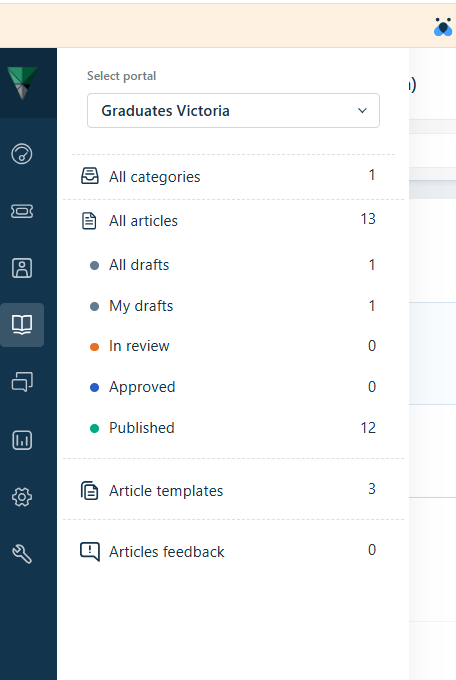
- A folder list will appear. Navigate to the folder and knowledge article you wish to edit.
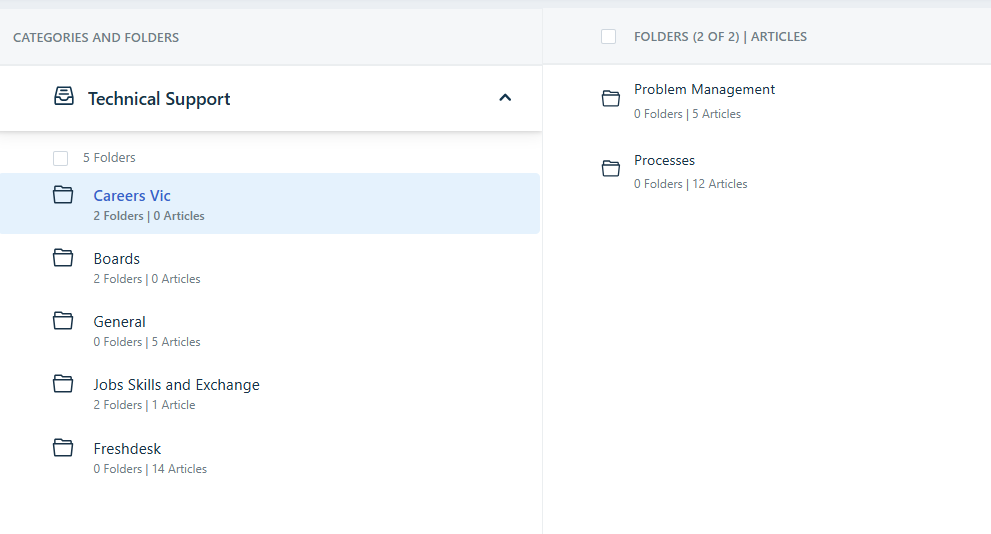
- Click on the knowledge article and it will open up for editing.
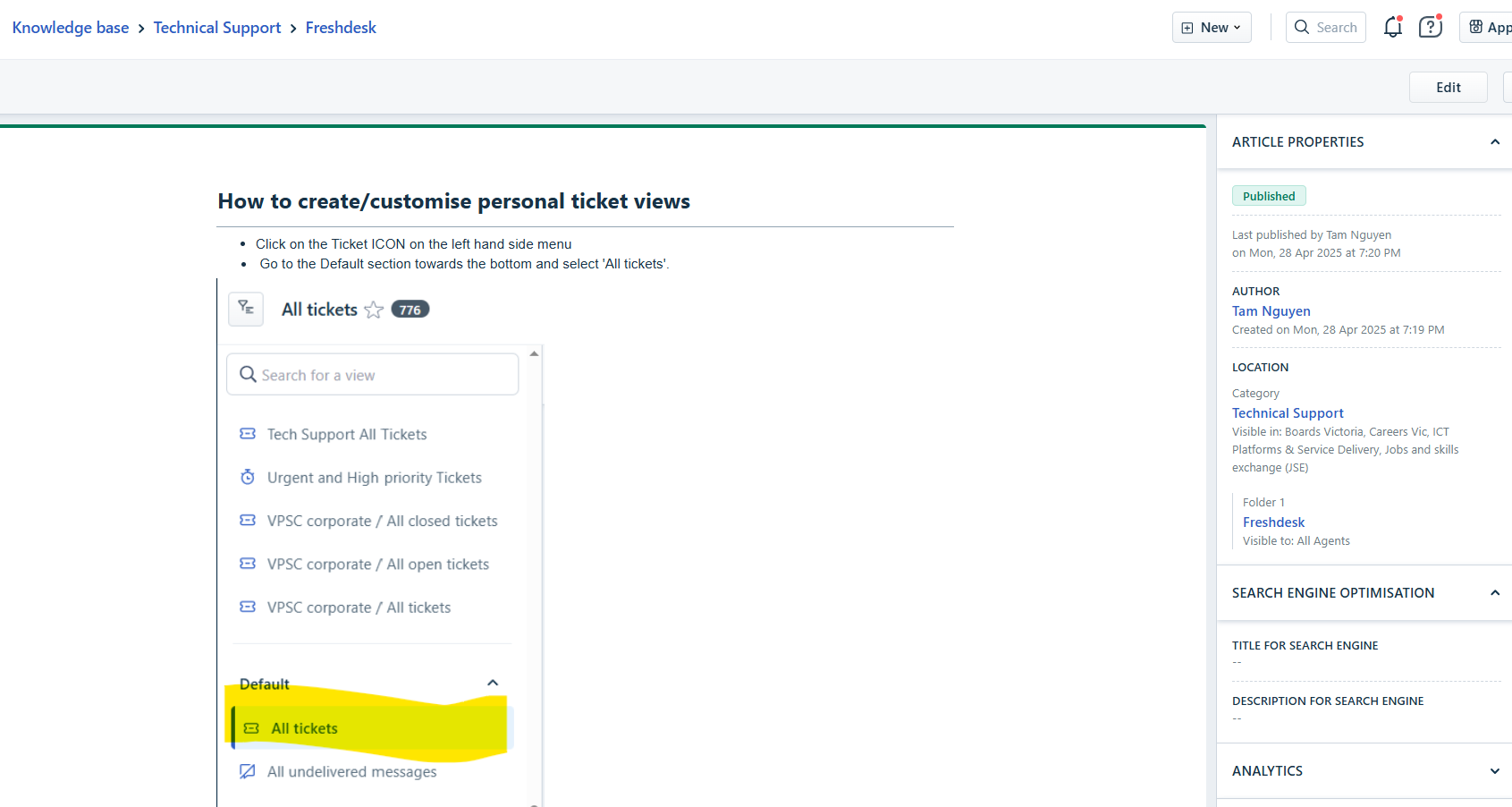
- Click on Edit on the top right hand corner.
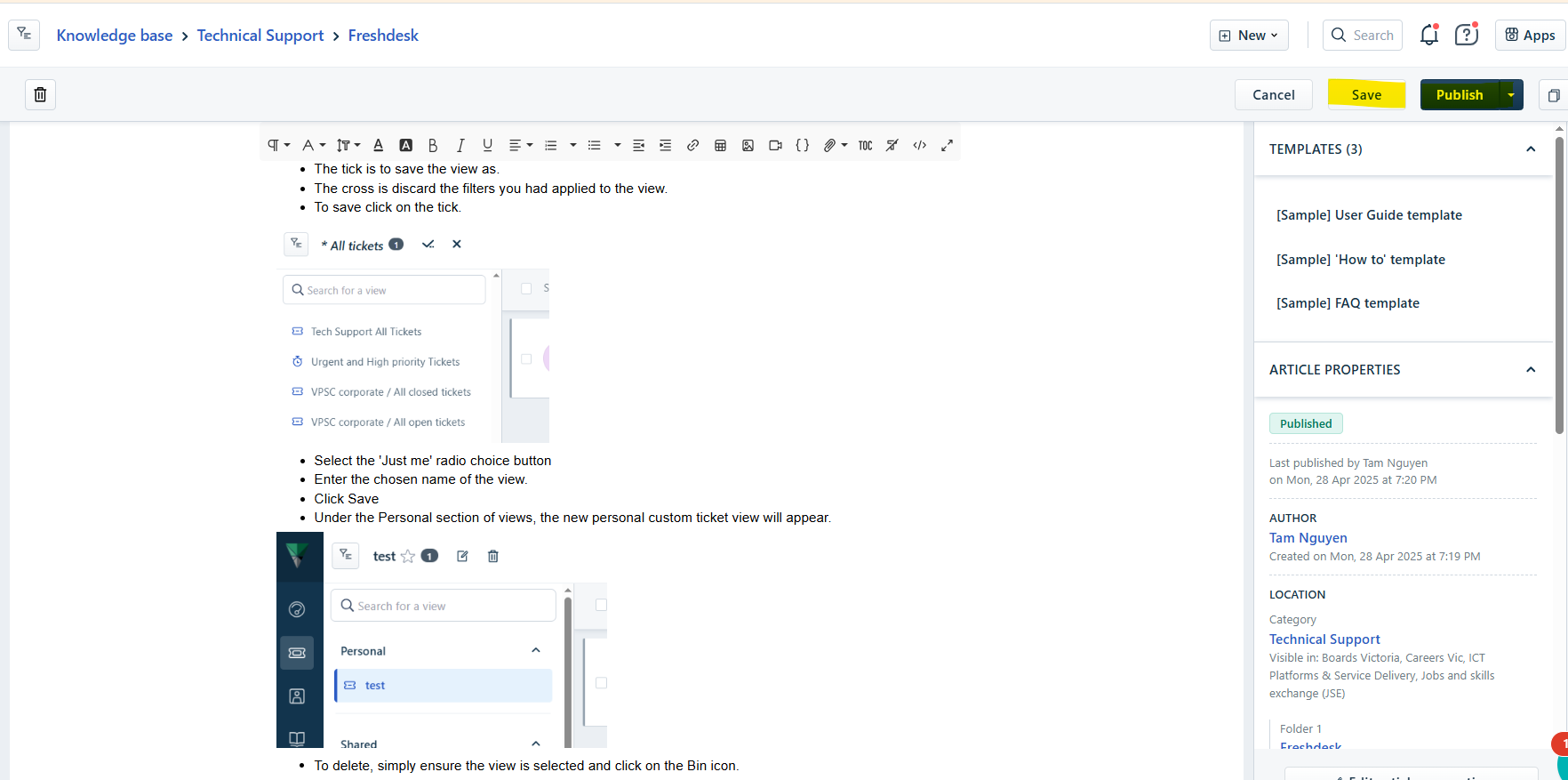
- Edit the article as required.
- Once complete, click on Save and then Publish.
Was this article helpful?
That’s Great!
Thank you for your feedback
Sorry! We couldn't be helpful
Thank you for your feedback
Feedback sent
We appreciate your effort and will try to fix the article