To track important tickets (even if they’re not assigned to you):
- Open the ticket.
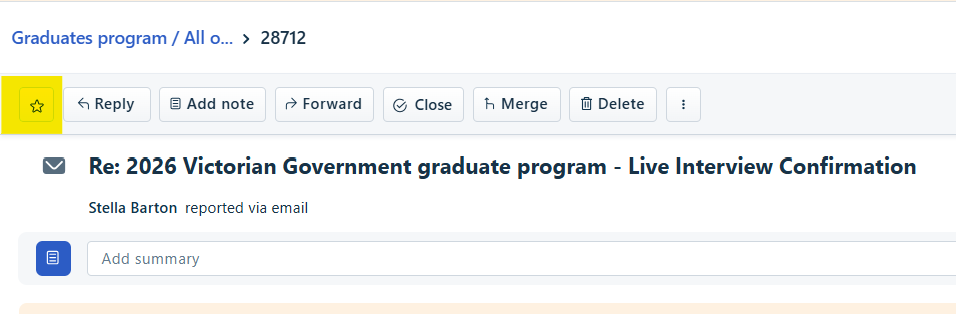
- At the top left hand corner, click the STAR.
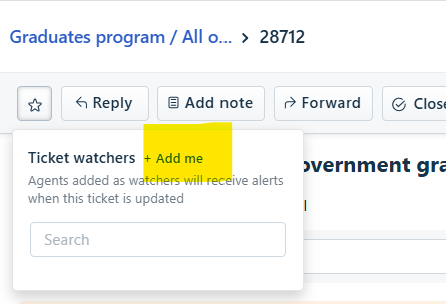
Click 'Add me'.
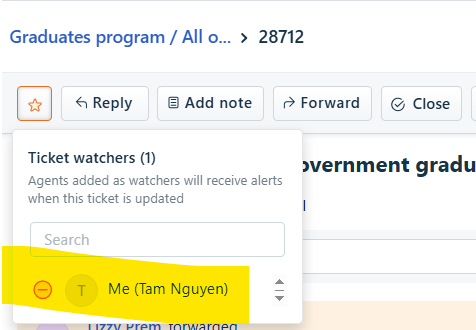
Becoming a watcher means you’ll receive email notifications every time a ticket is updated.
- Click the Watch button to view the list of agents watching the ticket. Within the popup, click Add me to add yourself to the list. You can also use the Search bar to add other agents to the watch list.
- The “Tickets I’m Watching” view on the Tickets tab shows you a list of all the tickets you’re watching.
- To remove yourself from a watch list, click the 'minus' symbol next to your name in the list. You cannot remove other agents from the list.
- Edit the ticket requester details
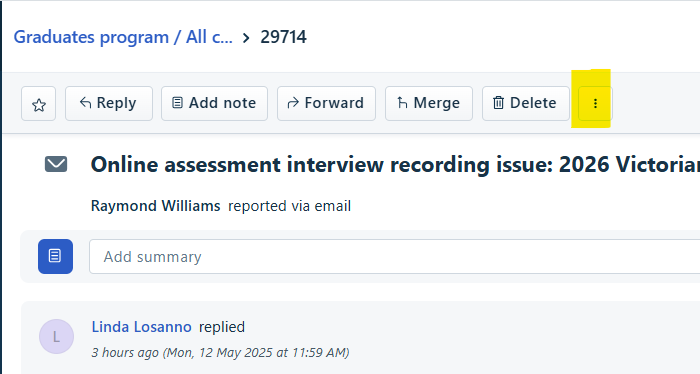
- Click on the three dots next to Delete.
- A pop up window will appear.
Was this article helpful?
That’s Great!
Thank you for your feedback
Sorry! We couldn't be helpful
Thank you for your feedback
Feedback sent
We appreciate your effort and will try to fix the article