- Click on TICKETS menu option from the left side panel.
- Click on the Default section of ticket views.
- Select All Tickets.
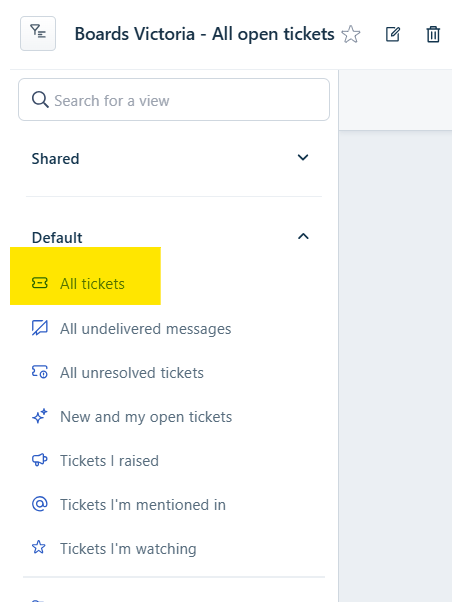
- Select appropriate filters to narrow down the search.
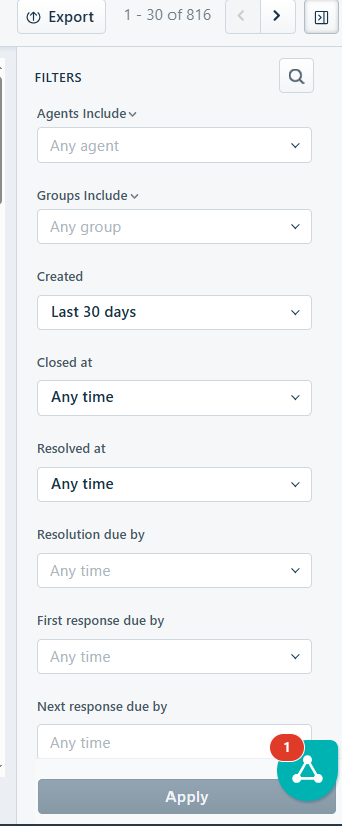
- Once filters have been chosen.
- Click on Apply.
EXAMPLE FILTER SEARCHES
Password resets for Careers Vic in the last month
- Created: last 30 days
- Tags: 'login' 'password'
Application status query handled by Tam last week
- Created: last 7 days
- Tags: 'application' 'applications'
- Agent include: 'Tam Nguyen'
SPECIFIC TICKET SEARCH

- Click on the Search field
- Enter in 'title' or words that may have been part of the ticket 'title' or name of contact.
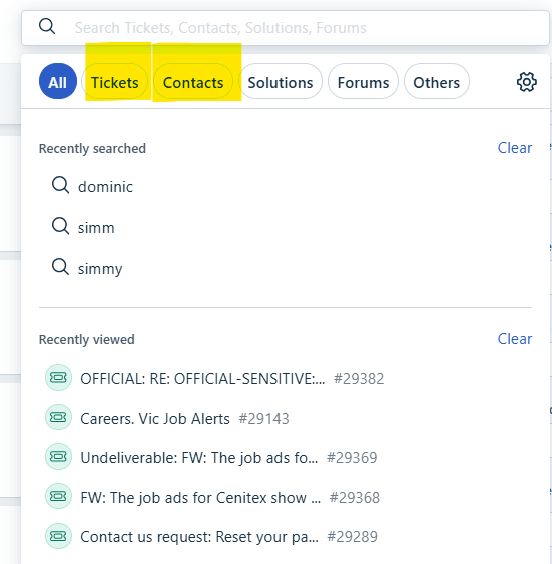
- All results possible will be shown.
Was this article helpful?
That’s Great!
Thank you for your feedback
Sorry! We couldn't be helpful
Thank you for your feedback
Feedback sent
We appreciate your effort and will try to fix the article