- Within a ticket reply, navigate to the 'editor toolbar' at the bottom of the message and click on the chat bubble with the star icon 'Canned Responses'.
- A pop up panel will appear on the right hand side.
- Type in the canned response title and change the folder name to narrow the search.
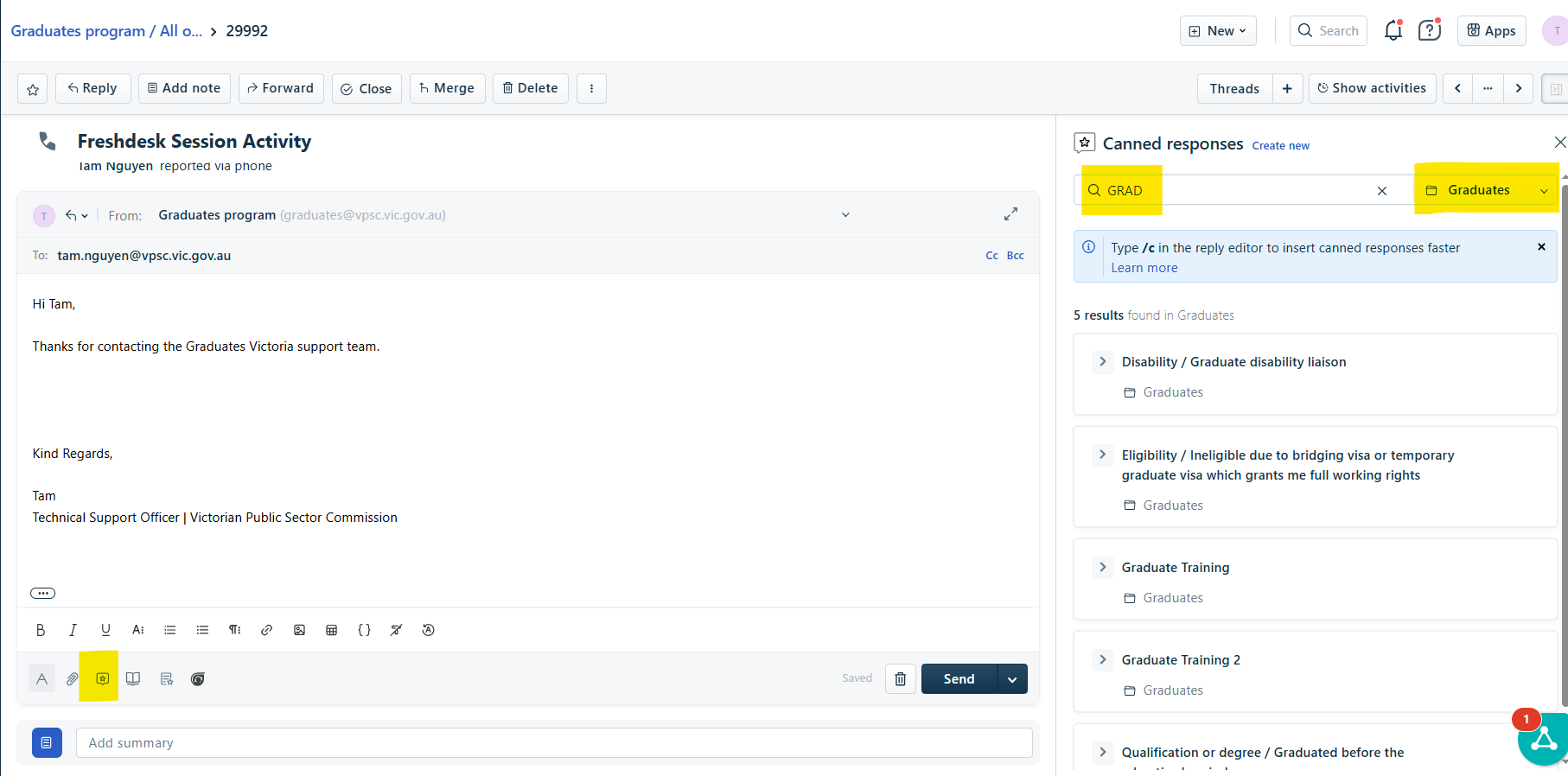
- Click on the title of the article for it to appear.
- The content of the article will preview.
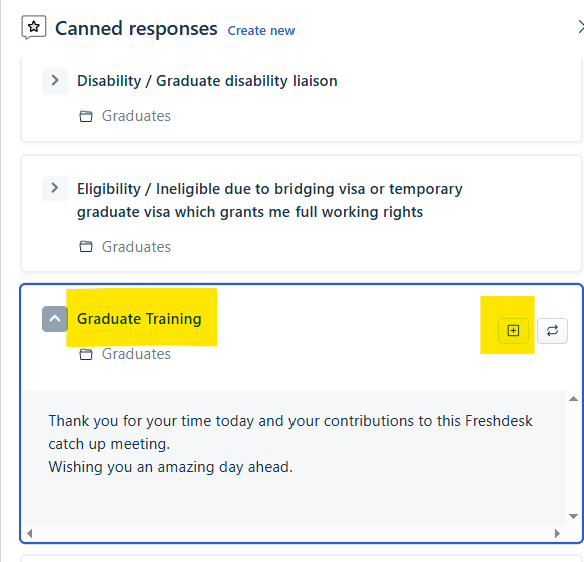
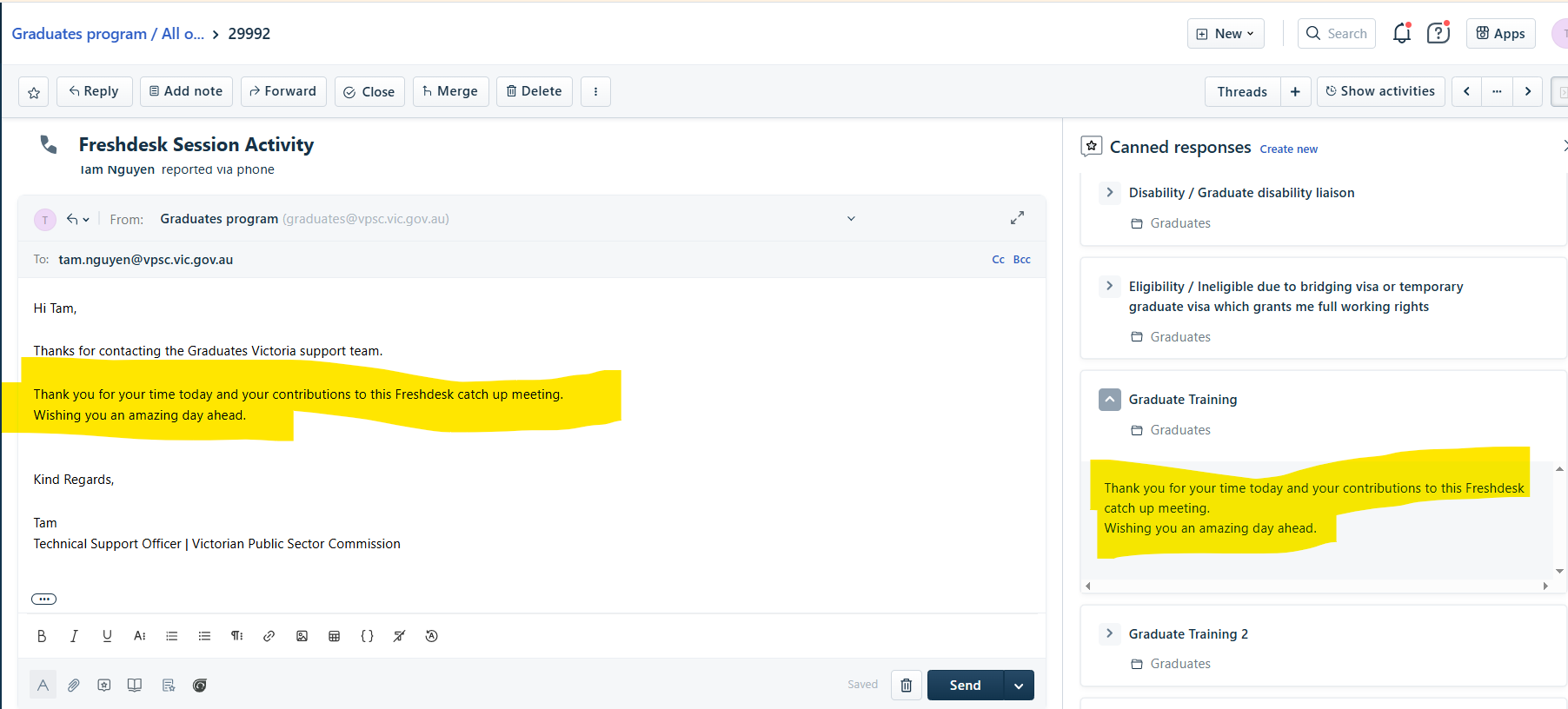
- Click on the Square with the + icon to insert the Canned Response into your message.
Was this article helpful?
That’s Great!
Thank you for your feedback
Sorry! We couldn't be helpful
Thank you for your feedback
Feedback sent
We appreciate your effort and will try to fix the article